

Discover (five sessions).
You and our team work through your business, customers and competitors. We write it down. The 6 to 12 weeks start once this is done.
Is your website a hard worker, or hardly working? Sandbox Media is a Milton, Ontario agency, est. 2011: 15 years of building websites that get the phone ringing. We start with strategy, not a template. Then we build a fast, mobile-ready site where every page has one job, and your forms, search, AI search and ad tracking connect to the tools you already run.
Here’s what lands in your hands:
We map your business before we touch a layout. You leave with a Lean Canvas, customer avatars, a competitive analysis and a proposal written for your business.
Built around the one action you want visitors to take on each page.
Built for the phone in your customer's hand, not the monitor on our desk.
A form comes in, a contact is created, and the follow-up you've set up starts. Our own CRM is Stiki. We also connect Salesforce, GoHighLevel and HubSpot.
We connect your site to Google Search Console and submit a sitemap. Every page gets a clear title, clear headings and structured data that matches what's on the page.
Plain-language answers to the questions your customers ask, clear entities (who you are, what you do, where) and sources worth citing, so AI search tools can read and quote you. Then we monitor where your brand shows up in AI answers.
GA4, Google Tag Manager and Google Ads conversion tracking for calls, emails and form submissions, plus the Meta pixel and LinkedIn Insight Tag. Built the current best-practice way: consent handled properly, clean UTM and event naming, so you see which clicks turned into leads.
Your Google Business Profile linked, reviews on the page and local schema in place. Your LinkedIn and social profiles connected.
We build to WCAG guidance: labelled form fields, alt text on images, menus and forms built for keyboard use, and colour contrast checked against WCAG ratios. QA reviews each page before it goes live. Aimed at Ontario's AODA website requirements; details in our AODA guide.
You see the proposal before we build a thing.
Post-launch includes support, maintenance and training.
Typically 6 to 12 weeks from the end of Discovery to launch. Bigger builds, more pages and slow content or feedback push it toward the long end.
You and our team work through your business, customers and competitors. We write it down. The 6 to 12 weeks start once this is done.
We send a proposal built from those sessions: pages, goals, what each page is for. You approve it before design starts.
You see the pages, not a mood board. Each one gets a single job and a single next step.
We build it, then wire it into everything that finds, measures and follows up with your customers:
We check it on phones. Before launch we submit every form once, for real, confirm it reaches the CRM, and check that each tag fires. Then we go live.
Who does what. We design, write, build and connect. You show up for the sessions, send what only you know (services, photos, the stories your customers tell) and sign off at each step.
We use AI too, and that’s the point. We just don’t let it drive.
Best for: Side projects, MVPs, hobby pages, or a temporary placeholder while you figure out your real strategy.
Best for: Businesses where the website is meant to generate leads, retain customers, and scale with you, not just exist.
Not sure which fits? Audit your lead flow and we’ll tell you straight.
Real sites, live today. Each one is in our gallery.
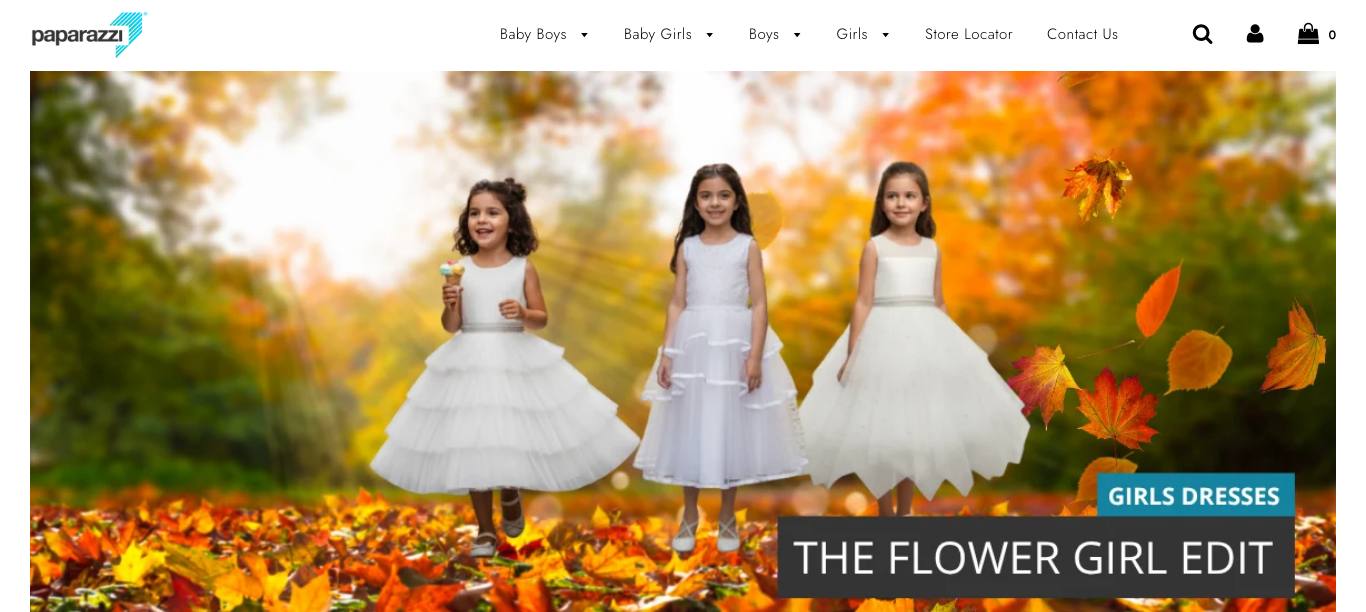

An e-commerce site for a children's clothing retailer.
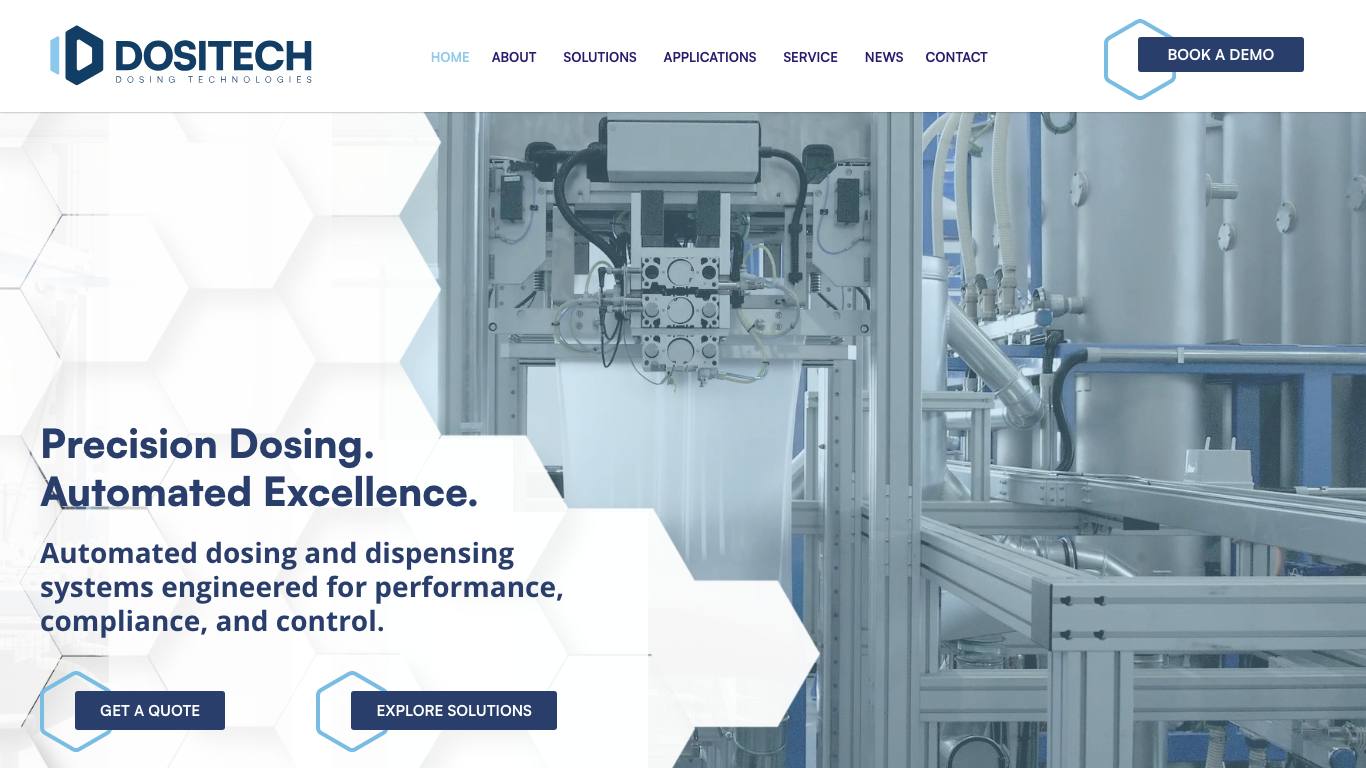

A B2B site for a maker of automated ingredient dosing systems, serving manufacturers across North America.
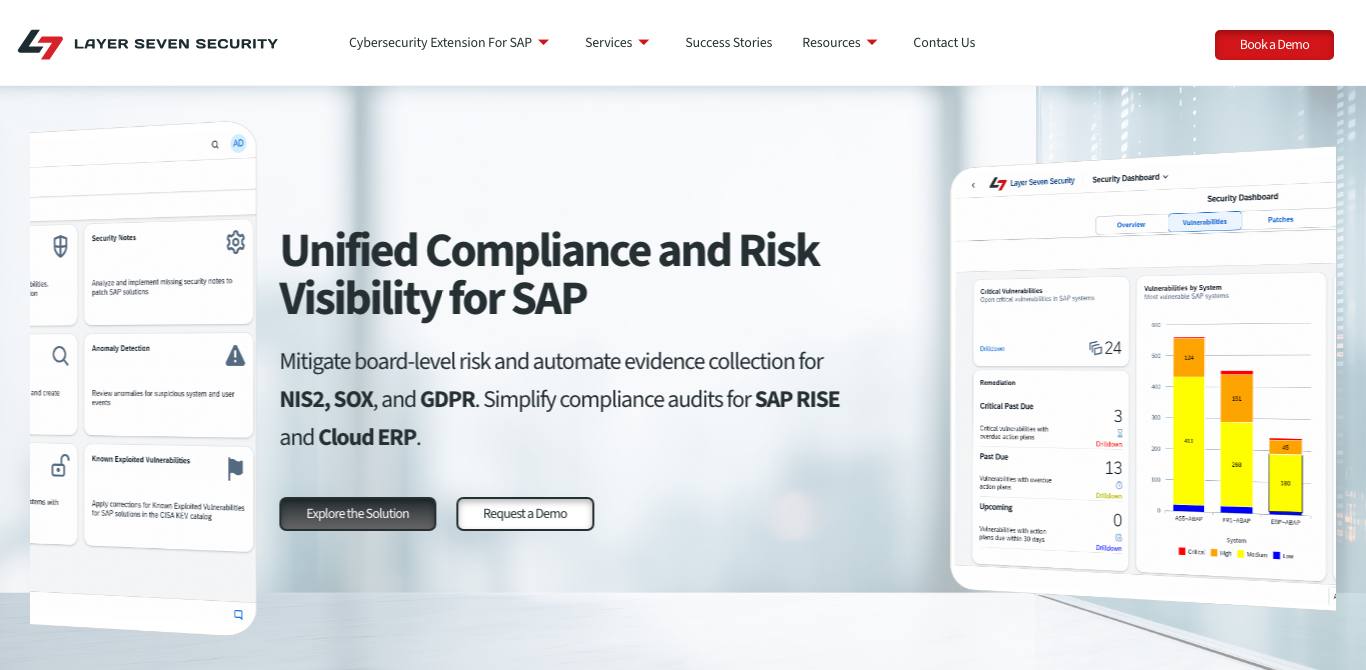

A B2B site for an SAP IT security firm serving Fortune 500 companies.
See all of them in the gallery.
Organic search, AI answers (ChatGPT, Gemini, Claude), paid campaigns and social, architected with SEO, AISO and conversion best practices so your audience meets you where they are.
A site that wins the visit still has to turn it into a booked call and a returning customer. That whole path is mapped on our digital marketing strategy page.
Forms and bookings from the site feed one place, so your team follows up from one list. How we set that up is on our CRM implementation page.
SEO gets you found on Google. AISO gets you understood and cited by AI search tools: plain-language answers, clear entities, structured data and sources worth quoting, with your AI visibility monitored after launch. The rest lives on our AISO page.
Conversion tracking, the Meta pixel and the LinkedIn Insight Tag on the site mean your ad spend gets measured against real calls, emails and forms. How we run the campaigns is on our online advertising page.
Your LinkedIn page, Insight Tag and Google Business Profile (link, reviews and local schema) are wired in at build, so local searches and your ad audiences start working from day one.
Already using Salesforce, GoHighLevel, or HubSpot? We wire your new website directly into your existing CRM, email platform, and booking tools. Or run it on Stiki CRM, which we built ourselves to give growing brands full visibility into every lead, prospect, and customer in one place.
Salesforce, GoHighLevel, HubSpot
Mailchimp, Klaviyo
Stripe
Calendly
Zapier, Make.com
Google Analytics 4, Google Tag Manager, Google Ads conversion tracking
Google Search Console, Google Business Profile, XML sitemap, structured data (JSON-LD)
Meta pixel, LinkedIn Insight Tag, other social pixels, links to your social profiles
Based in Milton, building for businesses across Ontario. Find the page for your city:
Typically 6 to 12 weeks from the end of Discovery to launch. The length depends on how many pages you need, how many connections we set up, and how quickly content and feedback come back. We'll give you a date range in the proposal, before you commit.
Yes. WordPress is what most of our clients' sites run on, and we build and maintain them. Our own site is custom-coded in Astro, and we run a Shopify store for an e-commerce client. We also maintain Drupal sites. We pick what fits how you'll edit, grow and connect your site, and we tell you why.
Every project is scoped after Discovery, so the quote is for your plan, not a guess from a form.
We build to WCAG guidance: labelled form fields, alt text on images, menus and forms built for keyboard use, and colour contrast checked against WCAG ratios. QA reviews each page before it goes live. It's aimed at Ontario's AODA website requirements. We're a marketing agency, not a law firm, so for legal advice on your obligations talk to a lawyer. Our AODA guide explains the requirements in plain language.
We build for both. For Google: Search Console connected, a sitemap submitted, clear titles and headings, and structured data that matches the page. For AI search tools like ChatGPT, Gemini and Claude: plain-language answers to your customers' questions, clear entities, sources worth citing, and monitoring of where your brand shows up. Nobody controls what an AI tool says, so we measure it and keep improving the page. More on our AISO page.
Your CRM first: forms create a contact and start the follow-up you've set up. Our own is Stiki; tell us which one you use and we'll tell you straight what's possible. Search: Google Search Console and a sitemap. Ads and social: GA4, Google Tag Manager, Google Ads conversion tracking, the Meta pixel and LinkedIn Insight Tag, set up with consent handled and clean UTM and event names. Local: your Google Business Profile, with reviews and local schema. Automation: Zapier and Make.com.
